Independent Product · 2026
Rysee
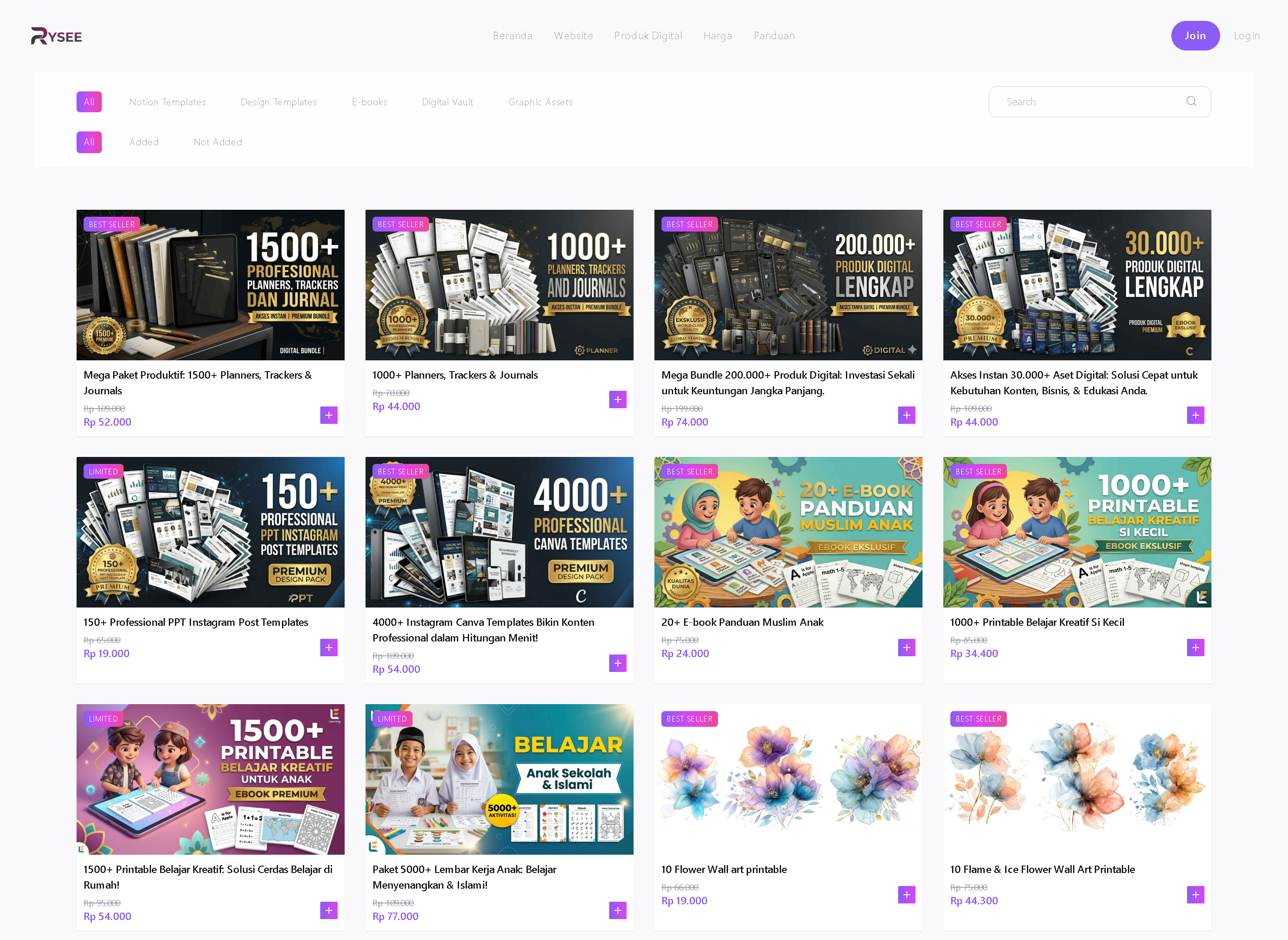
Digital storefront platform with a shared product catalog, customizable user stores, and affiliate commissions.
On this page
Project Overview
- Project type
- Independent Product
- Year
- 2026
- Role
- Design, frontend, backend, database, integrations & deployment — solo
- Status
- Live · payments tested · pre-launch for customers
- Stack
- Next.js · TypeScript · Prisma · PostgreSQL · Midtrans · Tailwind CSS
The Problem
Digital product sellers in Indonesia commonly resell through chat apps and spreadsheets. There was no simple way to give each seller a storefront they could share, while keeping one source of truth for the product catalog.
Rysee needed a shared central catalog that sellers pull products from into their own storefront, a public store link they can share with buyers, and commissions attributed back to the store whose link generated each sale.
My Responsibilities
- Product and UX design across three surfaces: seller tools, buyer storefronts, and the admin dashboard
- Admin dashboard — catalog, affiliate leaderboard, referral & payouts, membership plans, admin roles
- Frontend implementation with Next.js App Router and Tailwind CSS
- Database schema and data modeling with Prisma and PostgreSQL
- Authentication with Google sign-in
- Midtrans payment integration, including webhook handling
- Transactional email with Resend
- Deployment, domain, and environment configuration on Vercel
Core Workflows
01
Sign in — store created automatically
A user signs in with Google and a store is provisioned for them automatically — no setup wizard, no empty state. Their storefront is ready to fill from the first session.

02
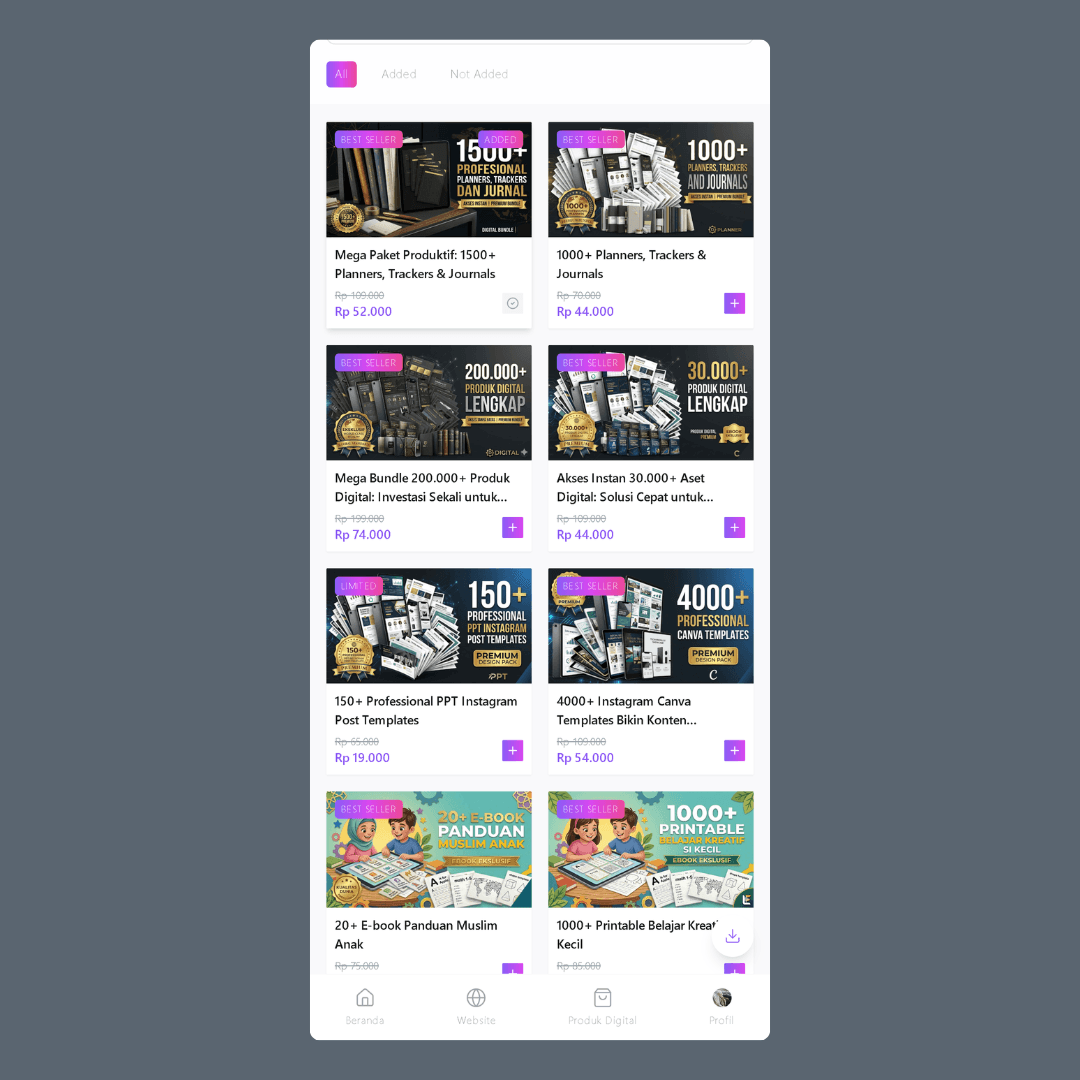
Add products from the shared catalog
The catalog is browsable with All / Added / Not Added filters. Each product carries a '+' button that adds it to the seller's store — store products reference the catalog instead of duplicating it.
03
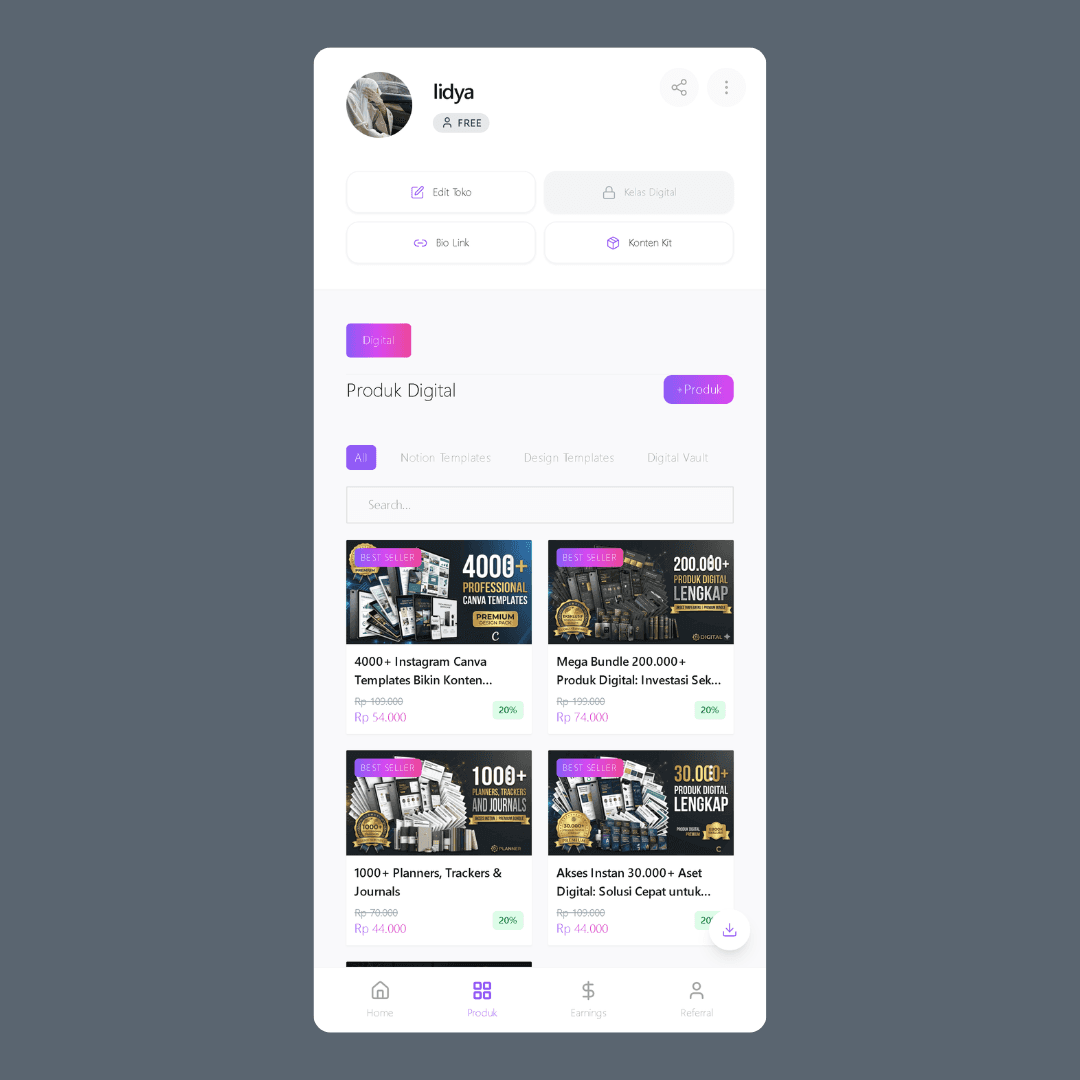
Manage store & account
The seller profile is the control center: Edit Toko, Bio Link, and Konten Kit shortcuts up top, their picked products below with the commission percentage on each card. Earnings and Referral get their own tabs.
04
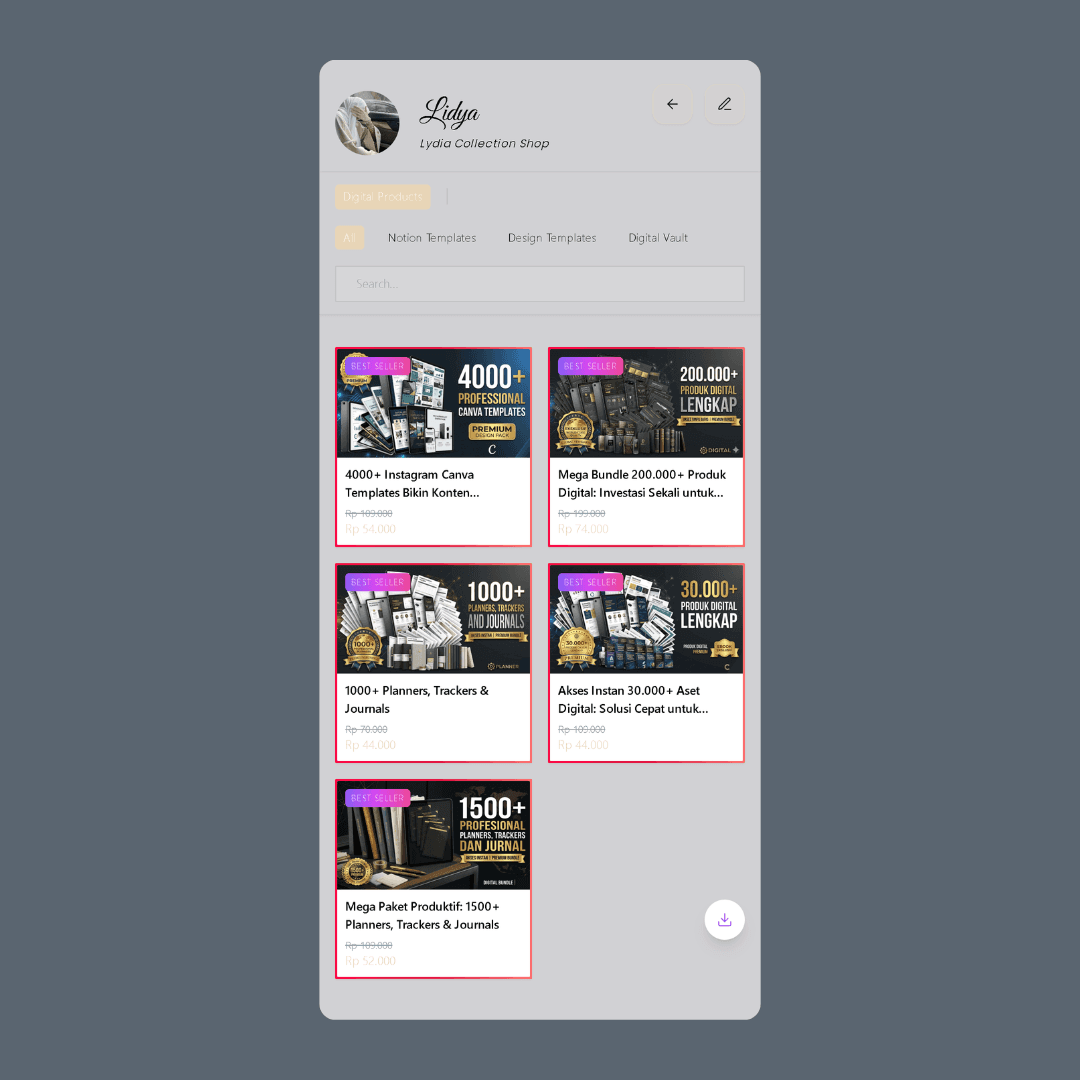
The store is theirs
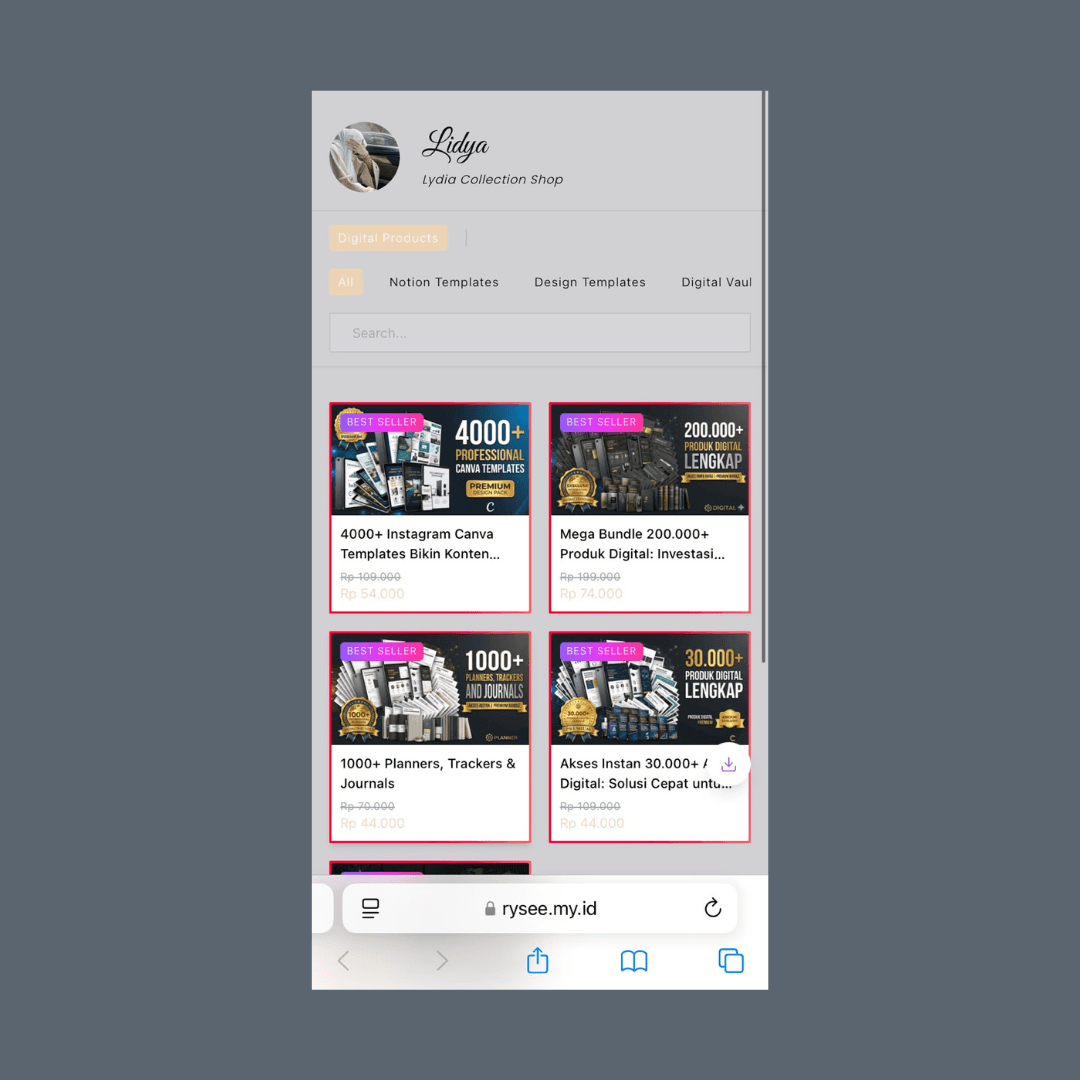
The public storefront carries the seller's own name and avatar — 'Lydia Collection Shop' here — showing only the products they chose. Same shared catalog, rendered through each store's identity.
05
Share the store link
'Share Your Store' copies a personalized link — rysee.my.id/username — built to drop into a social media bio. This link is also what carries sale attribution back to the seller.

06
Open the shared store link
A buyer taps the seller's link and lands on that seller's public storefront — their name, their branding, only the products they chose to carry.
07
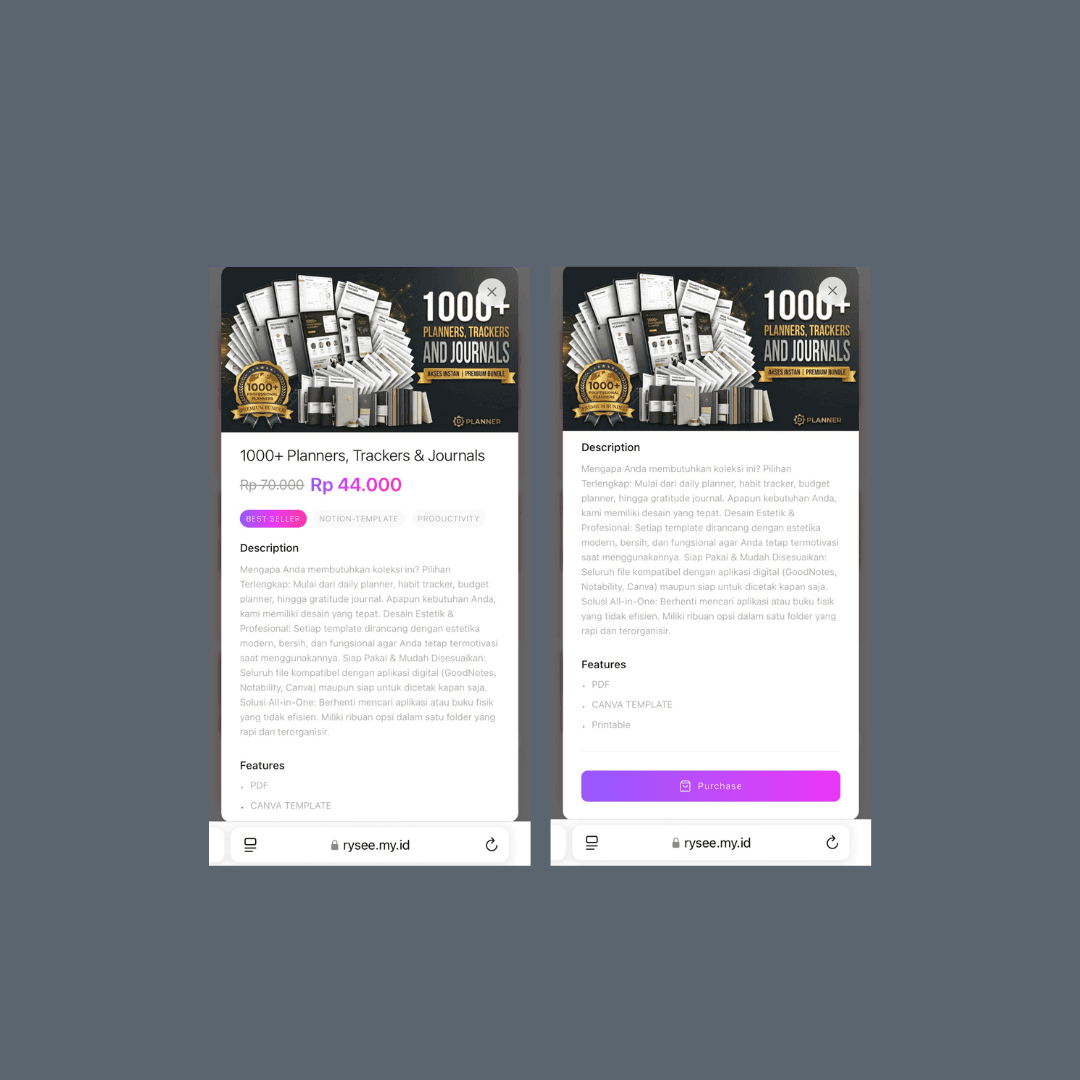
Open a product & hit Purchase
Each product opens a detail view — description, features, pricing — with a single Purchase action.
08
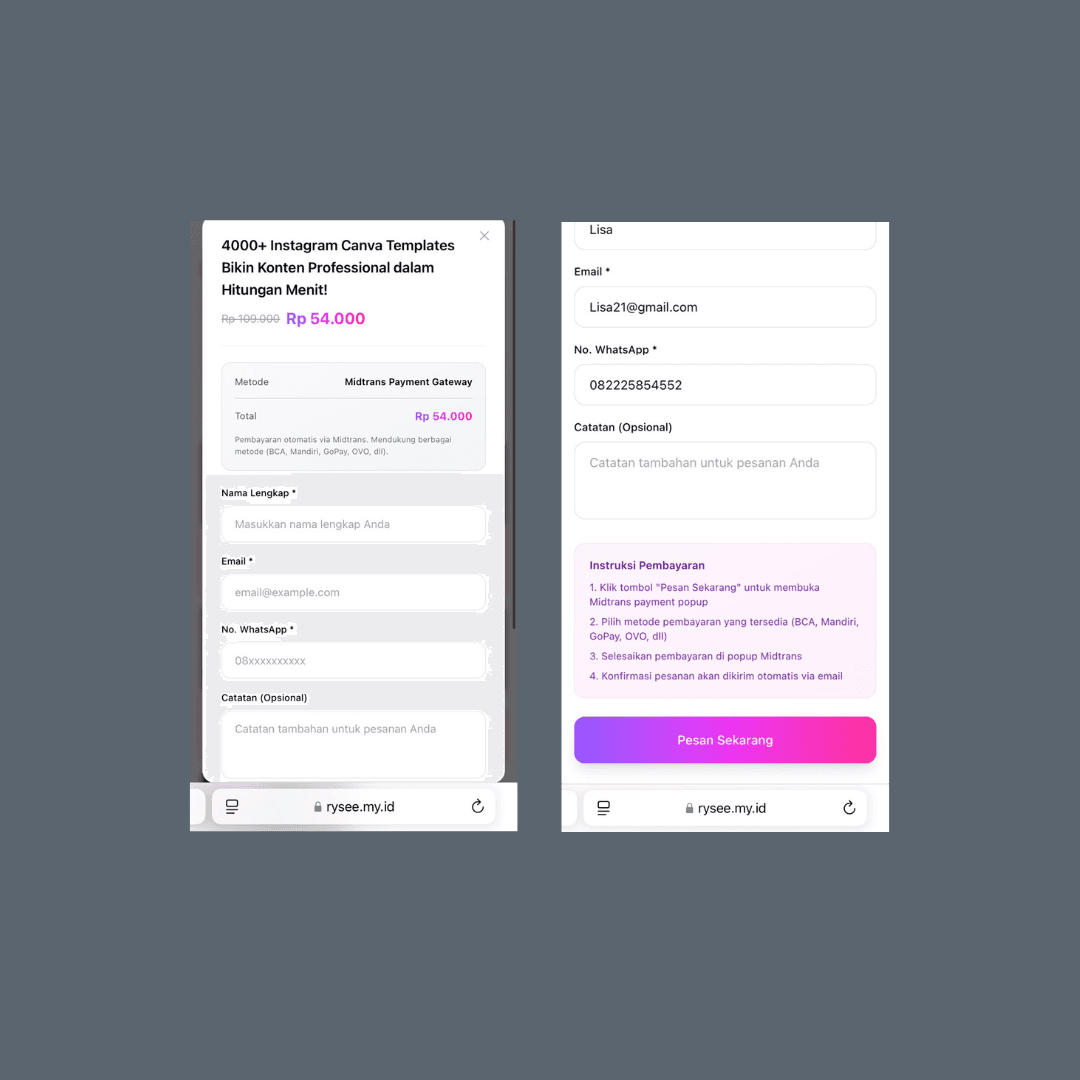
Fill the order form — guest checkout
Checkout asks only for name, email, and WhatsApp — no account required. The form itself tells the buyer the confirmation arrives by email once payment completes.
09
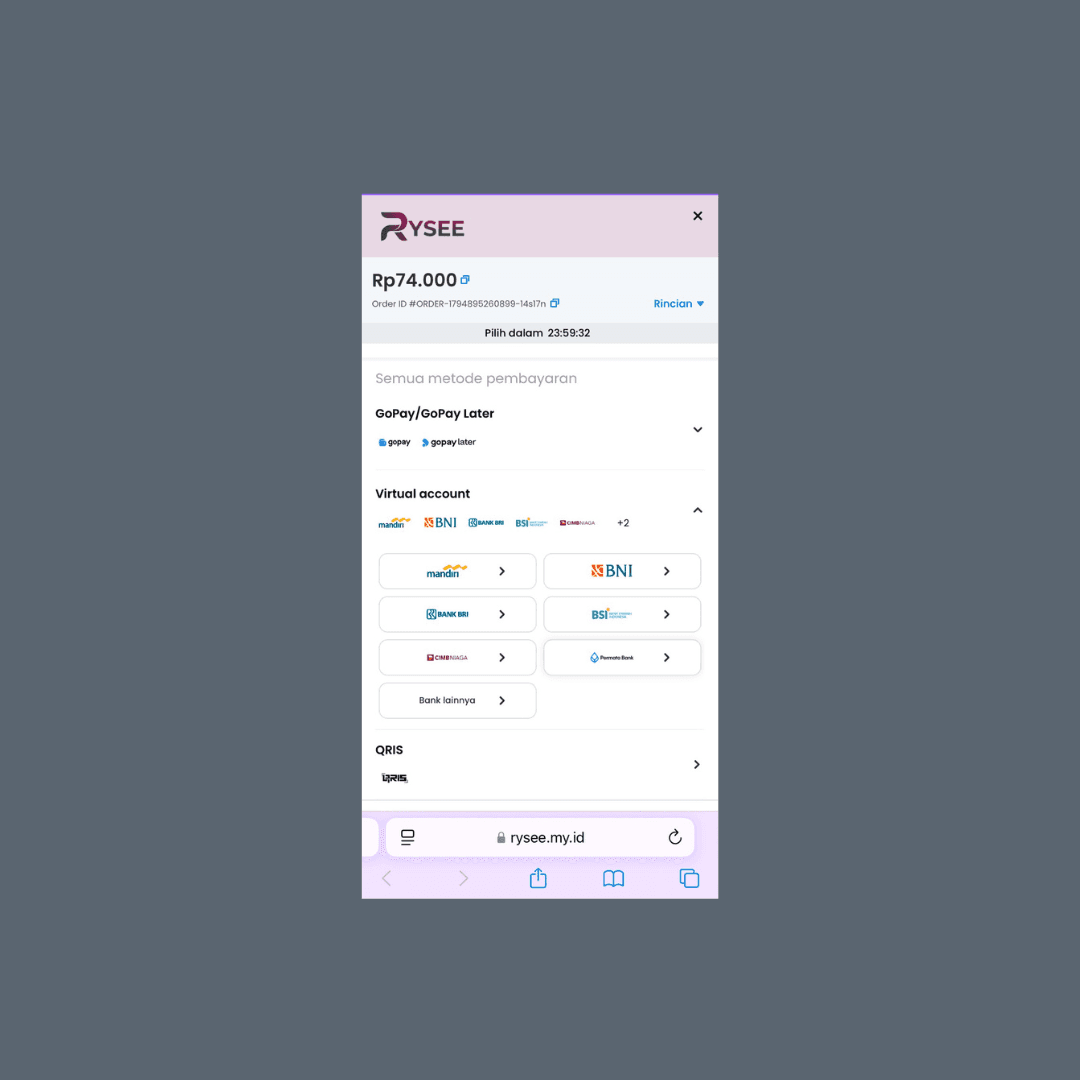
Pay via Midtrans — sale attributed to the store
The Midtrans payment popup opens with the order total and a payment-window countdown; the buyer picks a method (GoPay, virtual account, QRIS). The order records which store generated the sale, so commission is attributed at purchase.
The Admin Dashboard
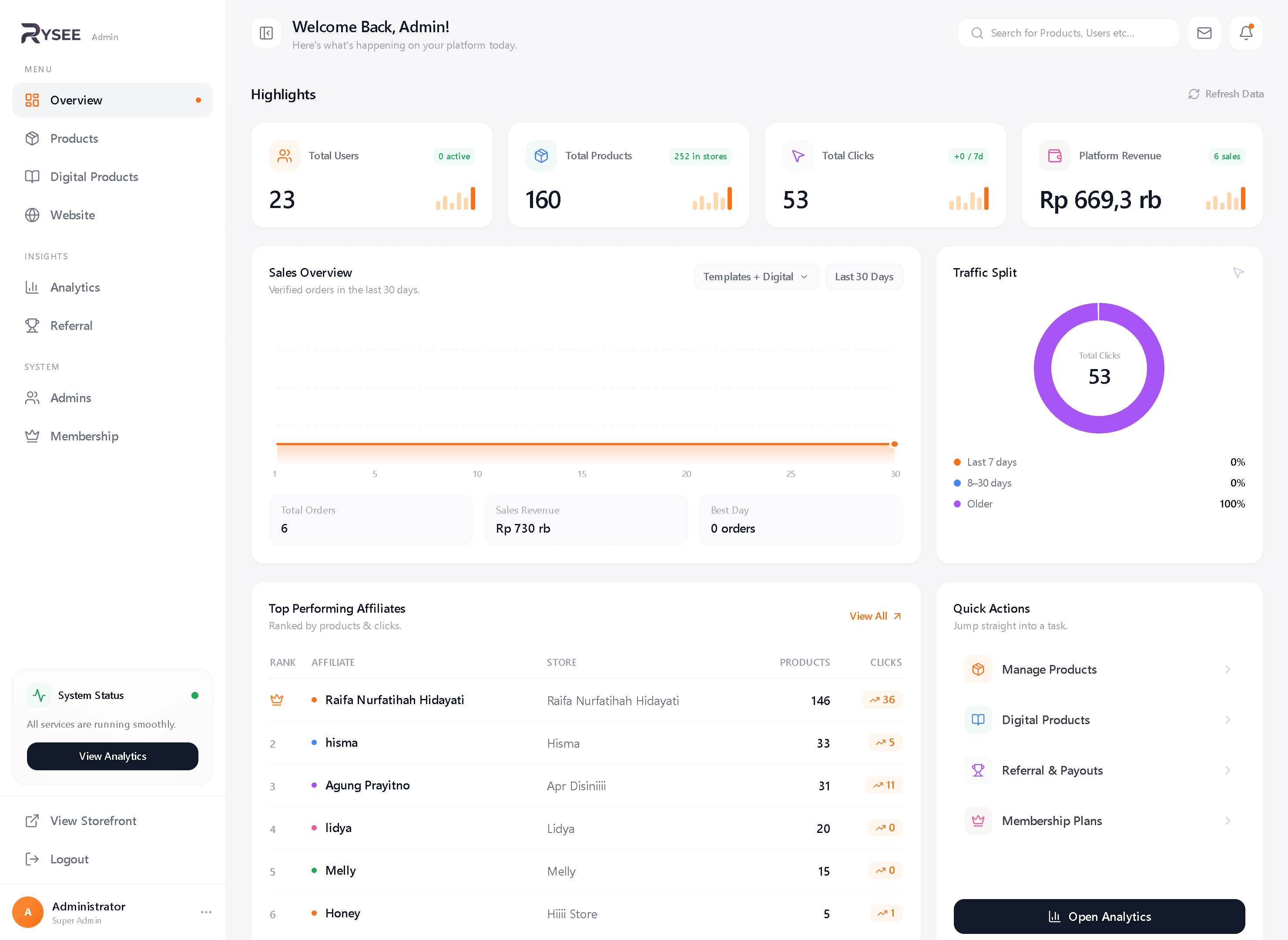
All platform operations run from one admin dashboard. The overview surfaces headline metrics — total users, catalog size versus products actually carried in stores, tracked clicks, and platform revenue — alongside a sales overview of verified orders.
Affiliate operations are data-driven: every store's click traffic is tracked, and a leaderboard ranks affiliates by products carried and clicks generated — so commission and referral decisions come from numbers, not chat requests.
The rest of the admin side covers catalog management (products and digital products), analytics, referral & payouts, admin roles, and membership plans.
System Architecture
Frontend
- Next.js App Router — server components for catalog and storefront pages
- Tailwind CSS for a shared design system across storefronts
Backend
- Route handlers for store management, orders, and payment webhooks
- Admin dashboard — catalog management, click & affiliate tracking, referral payouts, membership
- Google OAuth for user sign-in
Data
- PostgreSQL on Neon, modeled with Prisma
- Core relations: users, stores, catalog products, store products, orders, commissions
Integrations
- Midtrans for payments, Resend for transactional email
- Deployed on Vercel with environment-based configuration
Key Engineering Decisions
Auto-provisioned store on signup
Every new user gets a store automatically at first sign-in instead of going through a setup wizard. It removes the biggest drop-off point in onboarding — the product a seller can share exists from minute one.
Store products reference a central catalog
Instead of copying products into each store, a store product links to a catalog product. Sellers can customize what they sell without forking product data, and catalog updates propagate to every store.
Store configuration kept separate from catalog data
Branding and storefront settings live on the store record, so sellers can restyle their storefront freely without any risk of corrupting shared product data.
Guest checkout — no buyer accounts
Buyers order with just name, email, and WhatsApp instead of signing up. Nothing sits between the shared link and the purchase — order confirmation goes out by email instead of living behind an account.
The shared store link carries attribution
Each store gets a personalized public URL — rysee.my.id/username — made to sit in a social media bio. Buyers arrive through it, so the order already knows which store generated it: attribution is written when the order is created, not computed later. Commission reporting becomes a read, not a recalculation.
Challenges & Solutions
Challenge
Keeping store-specific product views consistent with a shared catalog as both sides evolved.
Solution
Modeled a join entity between stores and catalog products so each side can change independently — catalog edits propagate, store selections stay intact.
Challenge
Trusting payment state without being able to rely on the buyer's browser redirect.
Solution
Treated the Midtrans webhook as the source of truth for payment status and verified it end-to-end in sandbox before publishing.
Validation & Testing
- End-to-end checkout tested in Midtrans sandbox, including webhook-confirmed order states
- Sign-in and store-creation flow tested across accounts
- Storefront and checkout verified on mobile viewports
Outcome & Current Status
The platform is live at rysee.my.id. The full loop works: a user can sign in, create a store, add products, and accept payment — with commission attributed to their store.
Payment integration has been tested end-to-end. The product has not yet had a real customer purchase, which is the next milestone.
What I Would Improve
- Store-level analytics so sellers can see views, orders, and conversion
- Automated payout flow for commissions instead of manual settlement
- Automated test coverage around checkout and webhook handling
Explore the project
Next project
Multi-Branch Barbershop Booking