Client Project · 2026
Multi-Branch Barbershop Booking
Booking and operations system for a barbershop business with 10 branches — online slots, role-based dashboards, and branch-scoped data.
On this page
Project Overview
- Project type
- Client Project
- Year
- 2026
- Role
- Full-stack — solo, including client communication and handover
- Status
- Live · used in daily operations
- Stack
- Next.js · TypeScript · Prisma · PostgreSQL · Tailwind CSS · Vercel
The Problem
The client runs a barbershop business across 10 branches. Bookings were walk-in only: customers queued physically, staff had no schedule visibility, and ownership couldn't see what was happening at each location.
They needed customers to book a slot online at a specific branch, and staff roles — admin and branch leaders — to manage bookings with data scoped to what each role should see.
My Responsibilities
- Requirements gathering directly with the client and iterating as needs changed
- Data model for branches, services, schedules, bookings, and user roles
- Customer-facing booking flow
- Admin dashboard — bookings, confirmation queue, revenue, calendar, master data
- Branch-leader views scoped to their own location
- Role-based access control across the app
- Deployment and handover of the running system
Core Workflows
01
Customer booking
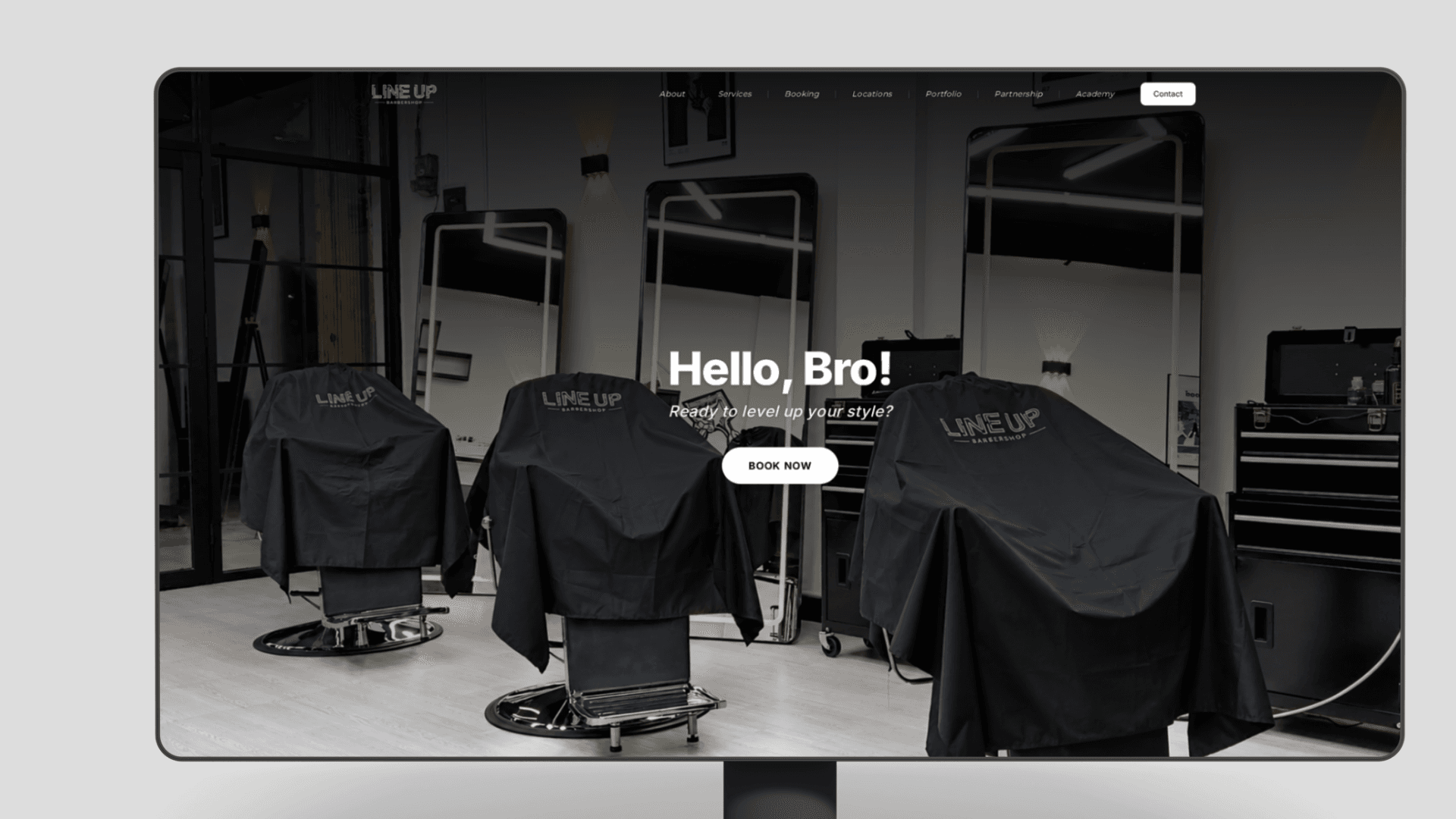
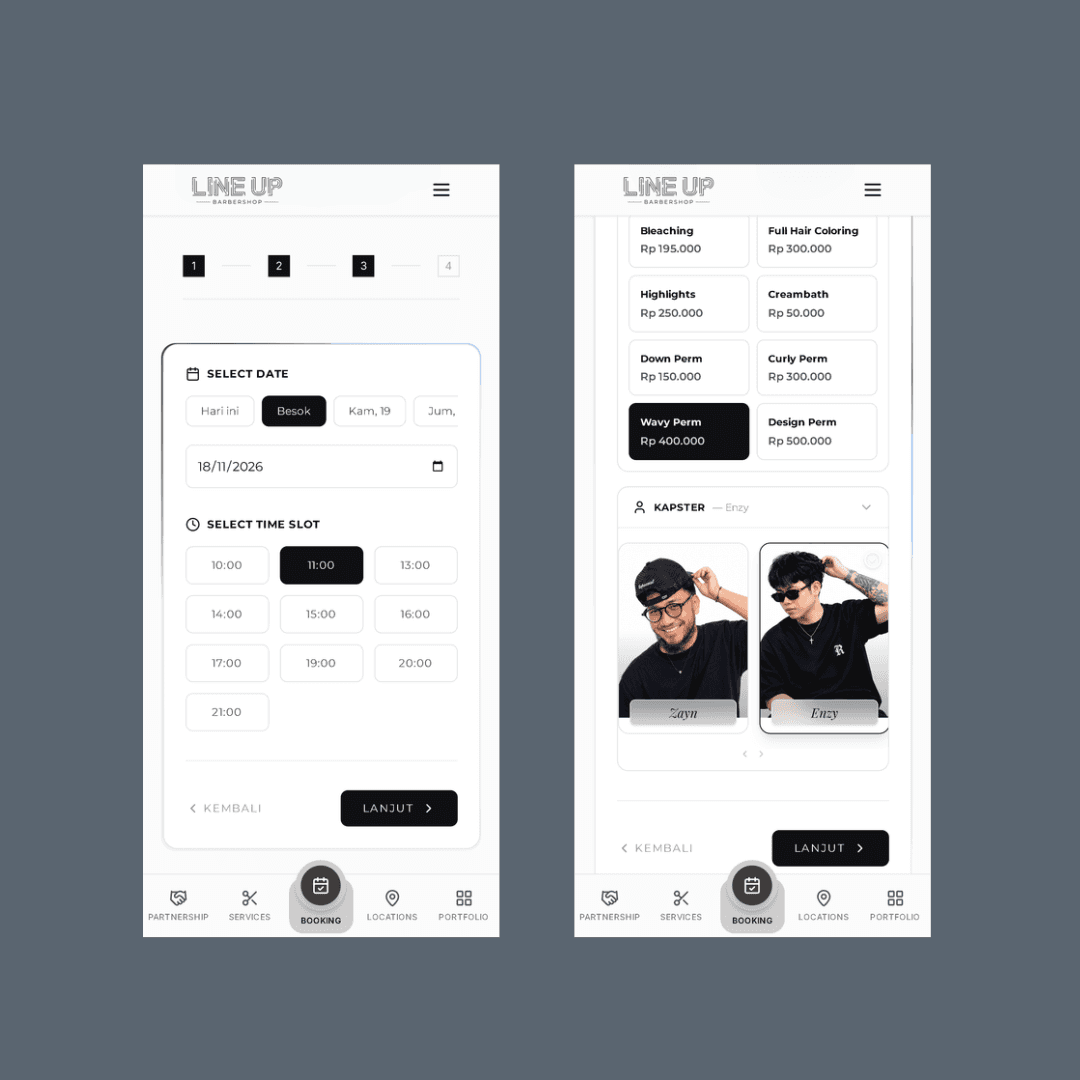
A customer picks a branch, chooses a service, and selects an available time slot — no account required to see availability.
02
Portfolio showcase
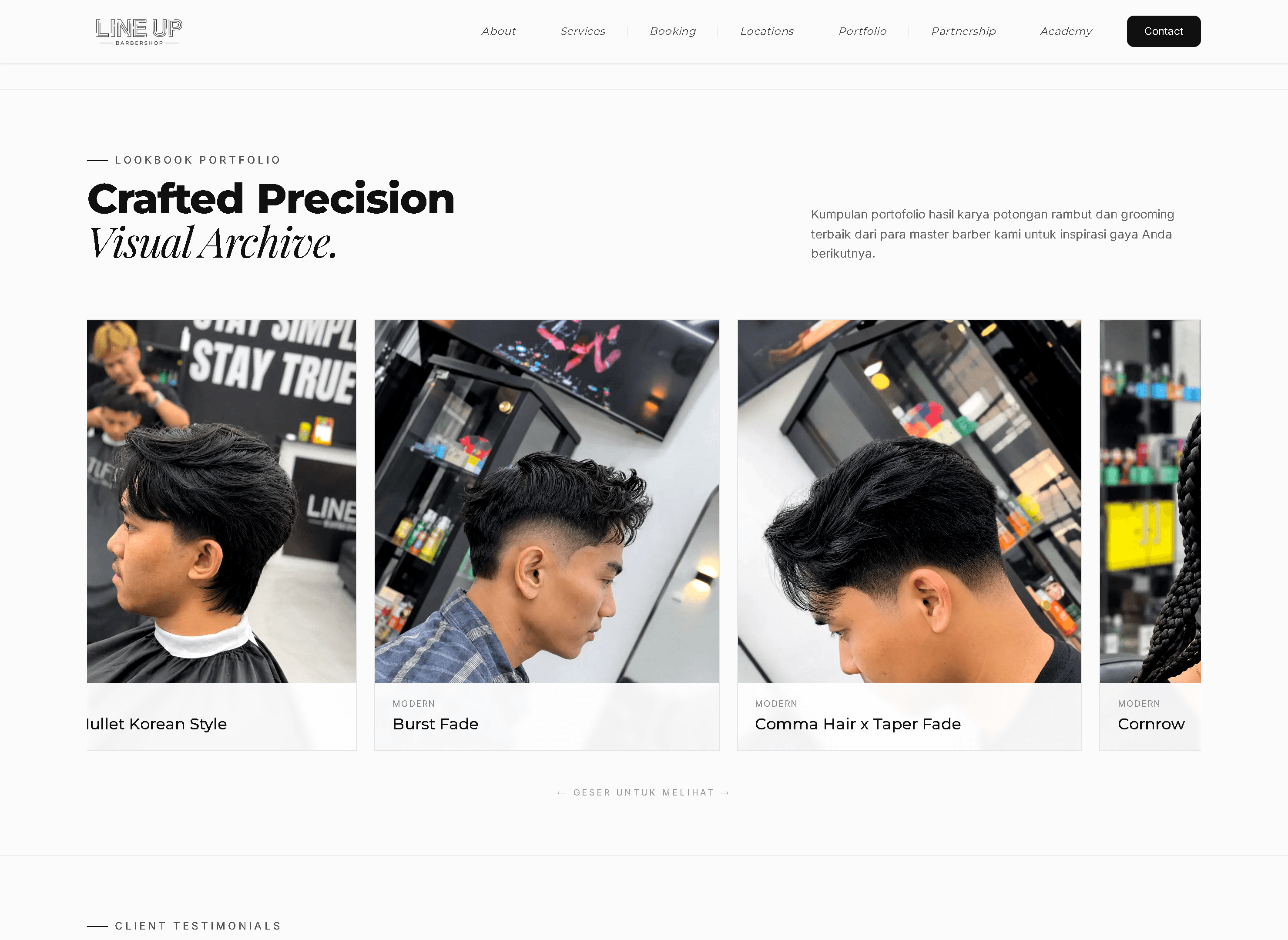
Beyond booking, the site presents the barbershop's craft professionally — a lookbook gallery of real cuts organized by style, so customers can see the quality of work before they book.
03
Branch operations
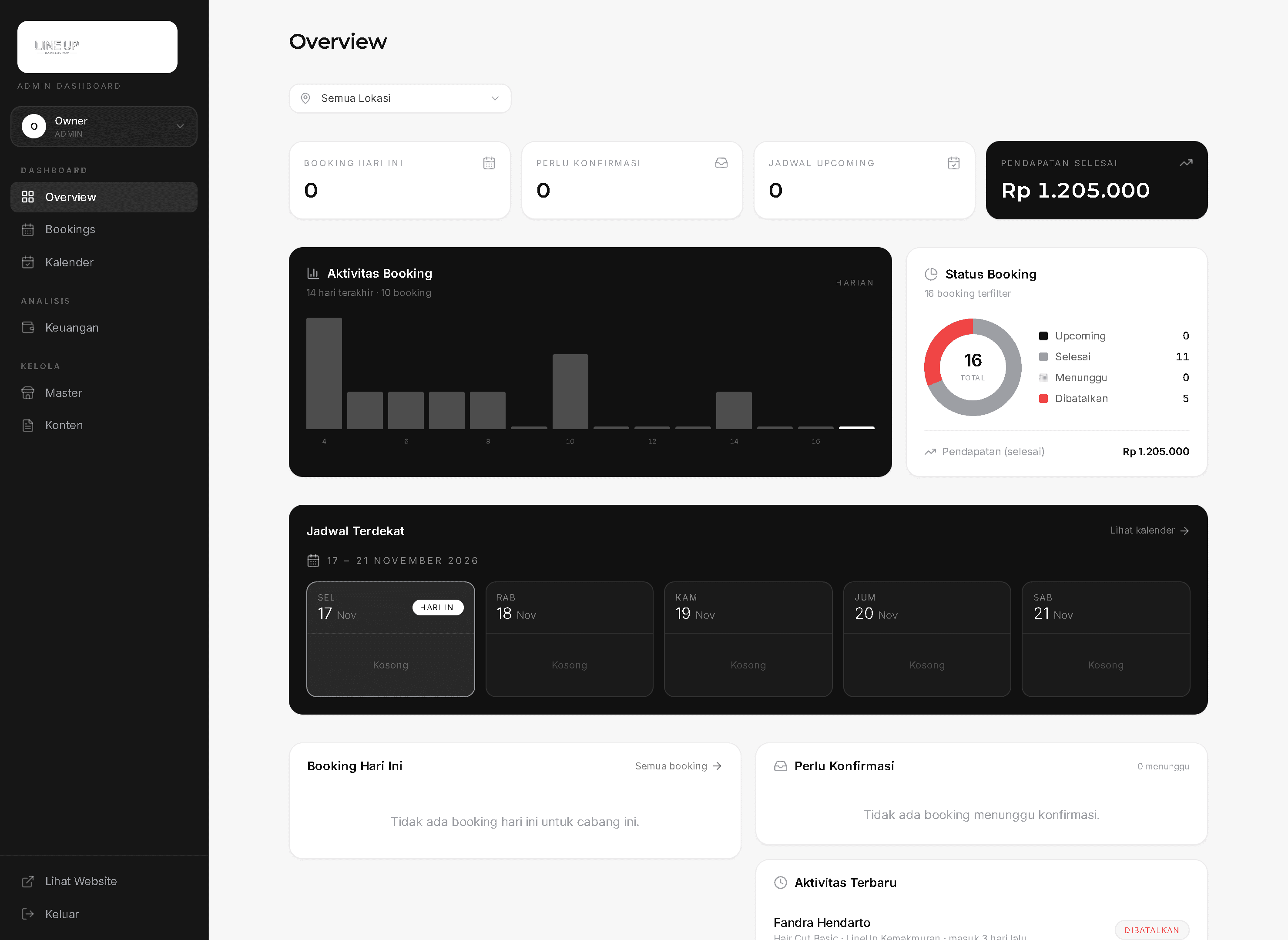
Each branch's bookings, schedule, and capacity are managed in a dashboard. Branch leaders see their own location; admins can filter across all locations.
04
Mobile-first usage
Most customers book from their phone, so the booking flow was designed mobile-first.
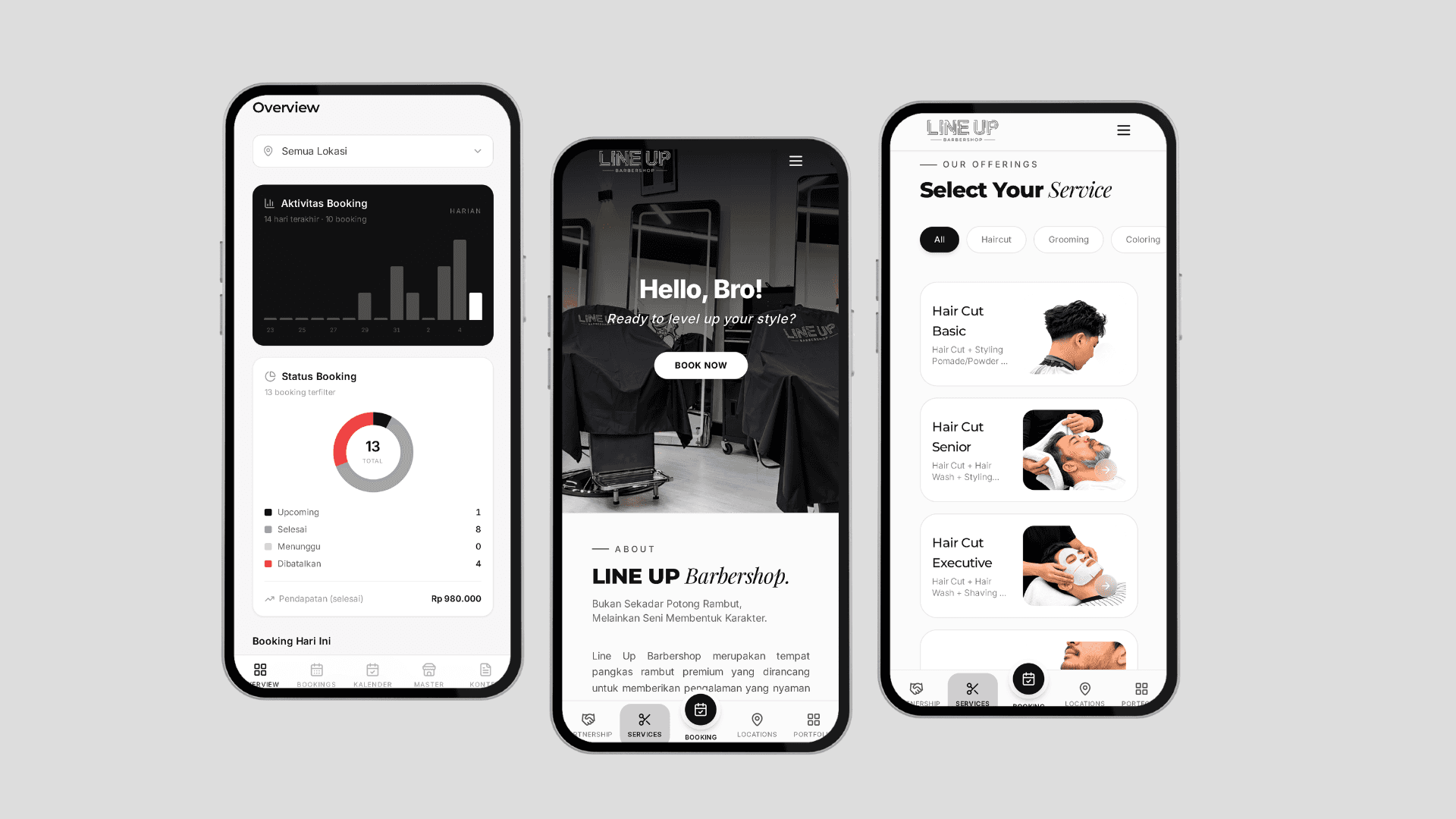
The Admin Dashboard
Owners and branch leaders work in the same admin dashboard, scoped by access level. The overview answers the daily questions at a glance — today's bookings, bookings needing confirmation, upcoming schedule, and completed revenue — with a location filter that switches the whole view between all branches or a single one.
Bookings move through explicit statuses — upcoming, completed, waiting, cancelled — and a confirmation queue surfaces anything that needs action instead of letting requests sit unnoticed. Revenue gets its own section (Keuangan).
Master data — branches, services, staff — plus site content are managed inside the dashboard, so the client runs the whole operation without touching code.
System Architecture
Frontend
- Next.js App Router for the customer site and staff dashboards
- Mobile-first layouts for the booking flow
Backend
- Route handlers for bookings, schedule management, and branch data
- Role-based access: customers, branch leaders, and admin
Data
- PostgreSQL with Prisma — branches, services, staff, schedules, bookings
- Queries scoped by role so branch staff only read their branch's data
Deployment
- Deployed on Vercel, handed over with the running system
Key Engineering Decisions
Scope every query by role, not by UI
Branch leaders and admins share the same dashboard surface, but data access is enforced in the queries — a leader's views are filtered to their branch at the data layer, not hidden in the UI.
Check slot availability at confirmation time
Availability shown while browsing can go stale, so the booking is re-validated against existing bookings when the customer confirms — preventing double-booked slots.
Branch as a first-class entity
Schedules, services, and bookings all hang off the branch model, which made the 10-branch case the normal case rather than a special case.
Challenges & Solutions
Challenge
Requirements changed during the build as the client saw working versions.
Solution
Kept the data model branch- and role-centric from the start, so scope changes mostly landed in the UI rather than requiring schema rework.
Challenge
Preventing double bookings when two customers pick the same slot.
Solution
Re-checked slot availability at confirmation and surfaced a clear 'slot taken' state so the customer can pick another time.
Validation & Testing
- Booking flow tested end-to-end per branch, including taken-slot cases
- Role access verified — leaders cannot read other branches' data
- Reviewed flows with the client before handover
Outcome & Current Status
The system is live and used in daily operations. Customers book slots online instead of queuing, and the client can see bookings per branch from one dashboard.
Handover included the deployed system and a walkthrough of managing branches, schedules, and bookings.
What I Would Improve
- Automated reminders to reduce no-shows
- Richer reporting per branch — revenue, repeat customers, peak hours
- Waitlist support when a slot is full
Explore the project
Next project
CRM & Lead Management Dashboard